Widgets & Desktop Organizer for Windows
TidyPanel helps you organize shortcuts, folders, and widgets on your Windows desktop without replacing or taking control of it. Create clean layouts using shortcut boxes, clock, weather, and system widgets all in a fast, lightweight, and customizable experience.
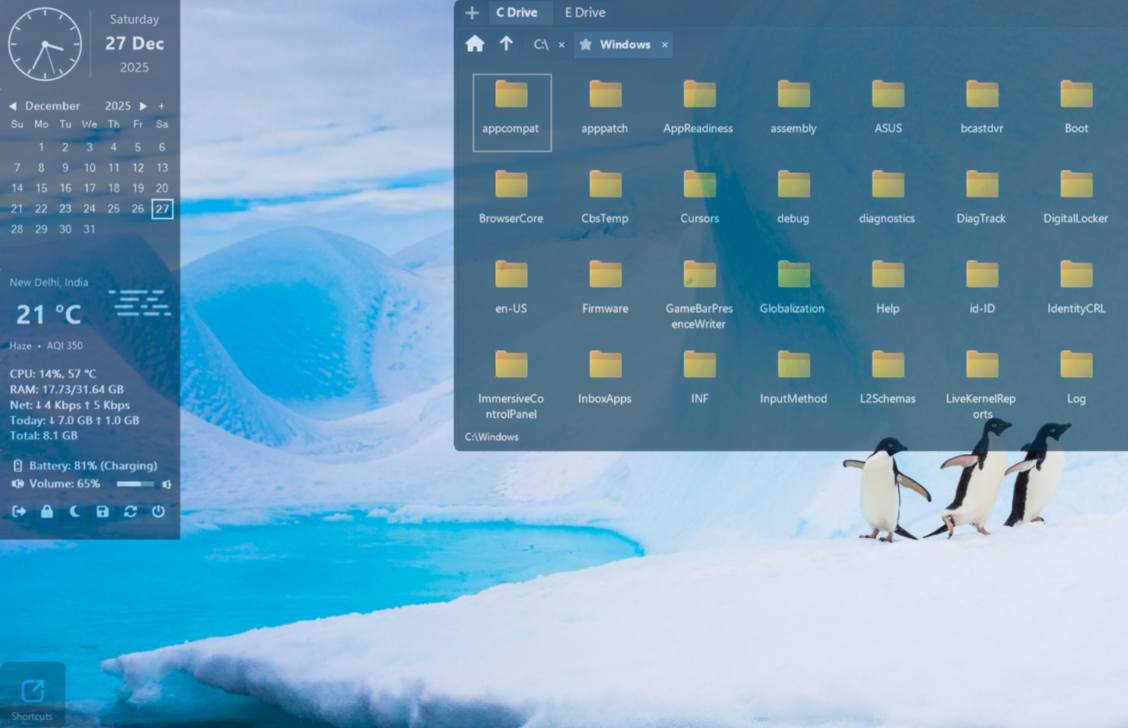
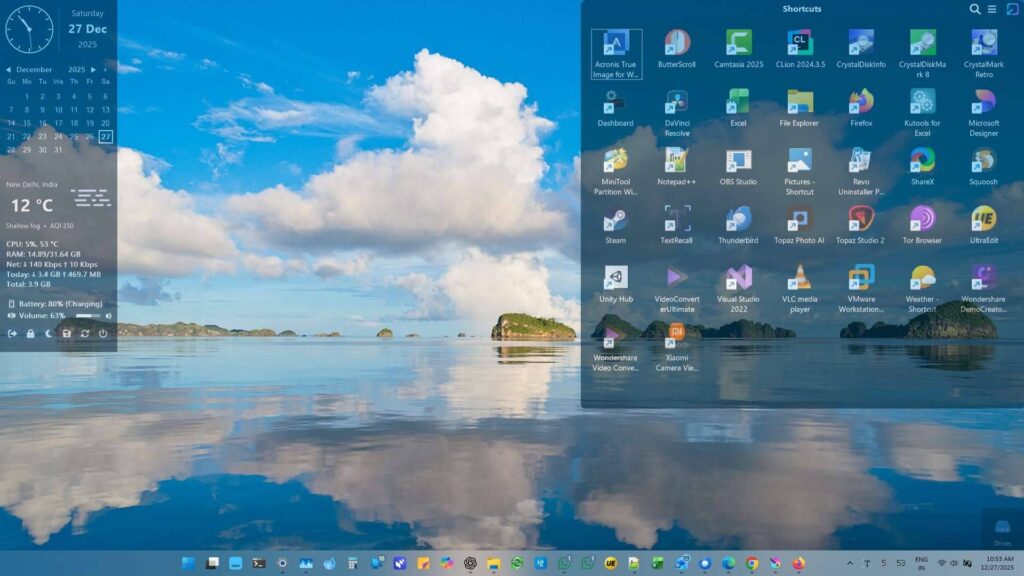


Works alongside your Windows desktop
TidyPanel supports your existing desktop instead of replacing it; giving you better organization while keeping Windows fully under your control.
- Keeps your desktop and icons exactly as you set them
- No forced changes or replacement of the Windows desktop
- Behaves like a helper - not a controller
- Leaves Windows File Explorer untouched
- Helps you work faster without changing how Windows feels
Useful widgets right where you need them
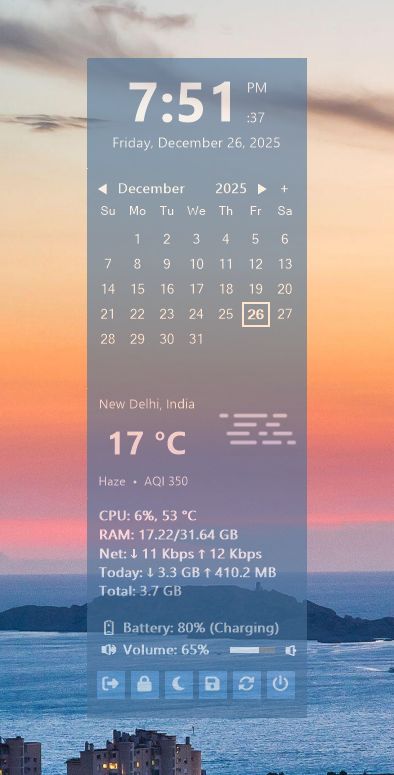
Add lightweight widgets to your desktop for everyday information while keeping your workspace clean and distraction free.
Widgets stay clean, minimal, and out of the way
- Clock and date widget with digital and analog display options
- Calendar widget with reminder support
- Weather widget with clear and readable information
- System monitor widget for CPU • RAM • and network activity
- System tools widget for battery status • volume control • and quick system access
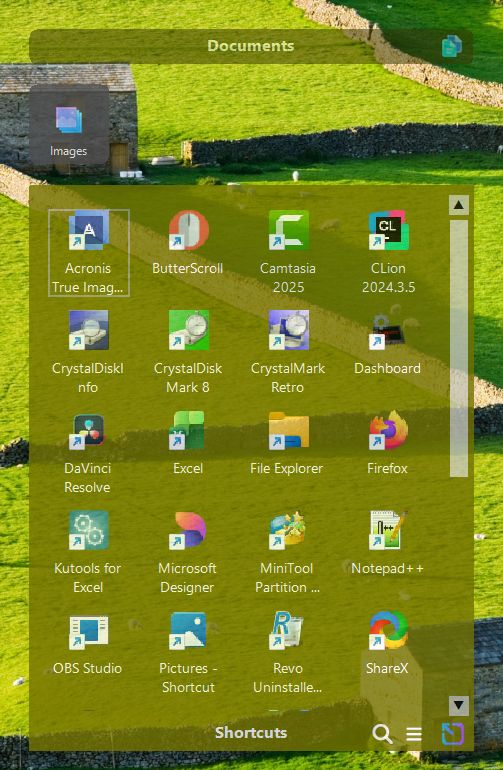
Organize shortcuts with full control of your desktop
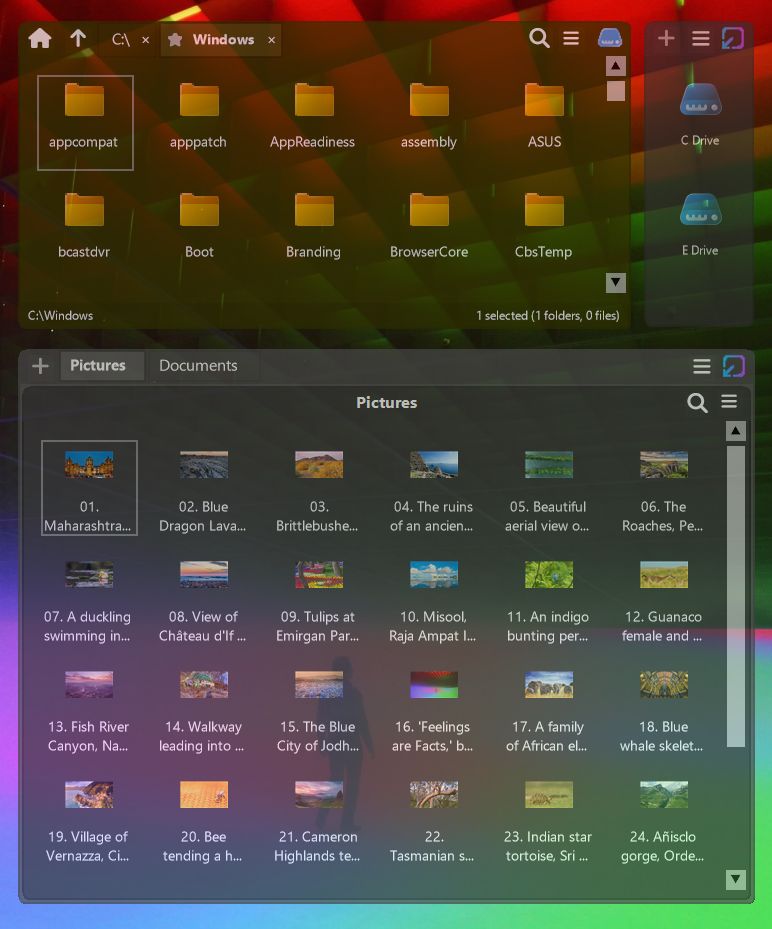
Shortcut boxes help you organize apps, files, folders, and links into clean panels while keeping your Windows desktop fully under your control.
Shortcut boxes are ideal for daily work tools and frequently used folders without changing how your desktop works.
- Collapsible shortcut panels that can collapse into a bar or an icon
- Quick access to apps and files without cluttering the desktop
- Supports folders • apps • files • and custom shortcuts
- Browse folders directly inside the shortcut box like a mini file explorer
- Keep related tools and resources grouped in one place
Group multiple panels into one smart container
Group boxes let you combine multiple shortcut panels into a single container so related items stay organized and easy to access without spreading across the desktop.
One place for related shortcut panels
- Switch between grouped panels quickly and easily
- Ideal for work setups • tools • media collections • or project-based workflows
- Keeps large collections neatly structured inside one container
- Reduces desktop clutter by grouping multiple panels together
- Use as a mini file explorer in tabs mode or as a dock in icons mode
What TidyPanel Can Do?
Organize your desktop, access everything faster, and keep it visually clean — all in one place.
🗂️ Desktop Icon Grouping
Turn a cluttered desktop into a clean, organized workspace using resizable panels for shortcuts, files, and folders.
📁 Shortcut Boxes (Folder-Based Panels)
Open any folder directly on your desktop and access all files instantly — no need to open File Explorer.
🧩 Group Boxes (Multi-Panel Organization)
Combine multiple panels into tabbed groups so you can switch between work, media, projects, or folders effortlessly.
📊 Built-in Widgets
Add useful widgets like clock, calendar with reminders, weather, system monitoring, and more — all directly on your desktop.
🎨 Custom Opacity & Colors
Match panels and widgets to your wallpaper with adjustable transparency and colors for a clean, premium desktop look.
⚡ Lightweight & Fast
Runs smoothly in the background without slowing down your system, even with multiple panels and widgets active.
🎯 Manual Control (No Forced Automation)
Stay in full control of your layout with no automatic sorting, unexpected movement, or forced changes to your desktop.
🖥️ Multi-Panel Support
Create multiple panels for apps, folders, tools, or projects and place them anywhere on your screen to match your workflow.
🚀 Quick Access to Files & Apps
Open frequently used apps, files, and folders instantly without navigating through multiple windows and menus.
💡 Clean & Focused Workspace
Reduce clutter and distractions by organizing everything into structured panels while still keeping your wallpaper visible.
Which desktop organizer fits you?
Compare the key features side by side and choose the desktop organizer that matches your workflow best.
| Feature | TidyPanel | Fences | iTop Easy Desktop |
|---|---|---|---|
| Desktop organization panels / boxes | Yes | Yes | Yes |
| Folder access from desktop | Yes | Yes | Yes |
| Folder Access / Folder View | Shortcut boxes linked to drives/folders | Folder portals (live folder views) | Customizable groups + private box |
| Built-in widgets | Yes | No | Yes |
| Custom colors & transparency | Yes | Yes | Yes |
| Automatic sorting / auto-declutter | No | Yes | Yes |
| Manual layout control | Yes | Yes | Yes |
| Core Focus | Widgets + manual shortcut boxes | Auto-sorting + folder portals | Auto-organization + AI assistant |
| Resource usage | Lightweight | Moderate | Moderate |
| Best fit | Manual desktop organization with widgets | Desktop organization with automation features | Desktop organization with automation features |
| Try Now | Try Now | Try Now |
All products listed here are great in their own way. The right choice depends on your workflow and how you prefer to organize your desktop.
All-in-One Desktop Organizer and Widget Manager
TidyPanel stays on your desktop layer and blends naturally into your workspace, combining desktop organization and widgets in a clean and distraction free experience.
Simple and Transparent Pricing
$3.99Regular Price: $8.00
Pay once and use TidyPanel for life. No subscriptions, no ads, and no recurring charges.
- One-time payment with lifetime license
- No subscriptions or hidden fees
- No advertisements or tracking
- Free updates for the licensed version